Know where a QR code leads.
Or where a link takes you...
Before you tap it.
ScanHawk reads the link hidden inside a QR code — or one you paste or share — and tells you where it really goes. Look-alike domains, punycode spoofs and hidden-destination tricks, caught by deterministic rules — no blacklist required. In a free mobile app, and in an engine any scanner can call.

Point, scan, and get a straight answer.
Most scanners just open whatever the code points to. ScanHawk shows you a verdict first — and explains it in plain language anyone can act on.
- Traffic-light verdictEvery code resolves to SAFE, SUSPICIOUS, or DANGEROUS with a 0–100 risk score, shown before anything opens.
- Plain-English reasoningNot "blocked" — why: brand impersonation, a credential trap, a chain of redirects hiding the real destination.
- The real destinationShortened and redirected links are traced to where they actually land, so you see the true site, not the disguise.
- Report & protect othersFlag a malicious code and it goes into our review queue — reviewed, then rolled into the protection everyone gets.
- Free to useNo subscription, no in-app purchases, no ads. Every scan gets the full verdict, the reasoning, and the redirect trace.

Free on the App Store for iPhone and iPad. Google Play is not live yet — on Android, check a link in your browser instead.
Telling someone about it? The whole address is
scanhawk.io/get — short enough to say out loud.
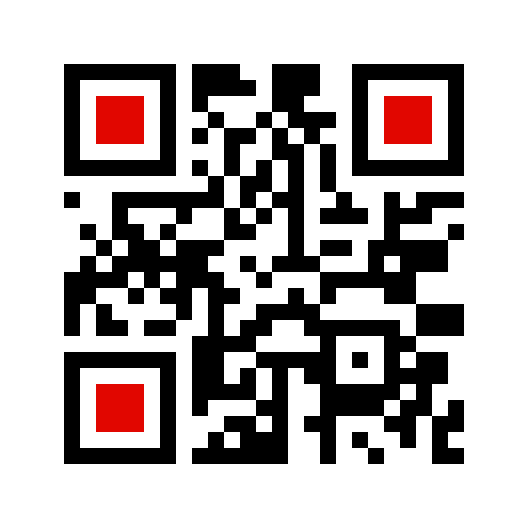
Don't take our word for it.Point your camera and read where it goes before you tap. This one takes you to the App Store. Download ScanHawk today! :D
The same verdict, in your browser and your inbox.
Phones aren't where most links get clicked. They get clicked at work — in a browser tab and in email — and that's where a bad one costs the most. ScanHawk runs there too, on the same engine, with the same three answers.
Stop the click, not just flag it.
The problem: a phishing link doesn't announce itself. It's a search result, an ad, a link in a chat. By the time the page has loaded, it has already started — and the browser's built-in warning list only knows about sites someone reported days ago.
- Right-click to checkRight-click any link and choose Scan link with ScanHawk. Once a link is judged DANGEROUS, clicking it opens ScanHawk's warning page instead of the site — the only ScanHawk surface that can block a click. Nothing is checked unless you ask.
- More, if you want itIn Options you can switch on checking every link you click before it opens, a Scan button when you hover a link, or marking every link on a page in advance. All three are off until you choose them.
- Only the link leaves the browserNever the page, a form, or your selection. The engine key never ships in the extension.
- Chrome and EdgeOne extension, both browsers.
Catch the link that says one thing and opens another.
The problem: email is where most phishing starts. The link text looks right, the sender looks familiar, and the message passed every filter on the way in. Hovering to read the real address is a habit almost nobody has — and on a phone there's nothing to hover.
- A banner in the reading paneOpen a message with a dangerous link and the warning is right there, before you've read far enough to be tempted.
- Every link, with its real destinationThe pane lists each link, what it shows, and where it opens — so "login.microsoft.com" pointing at a look-alike is caught by design, not by luck.
- Also in Word and ExcelThe same check runs on links in a document or a spreadsheet — including a cell that reads "Invoice" and opens somewhere else.
- Only the link and its label leave the mailboxNo subject, no sender, no body. What's sent is written down in our privacy policy, and our tests fail if the code drifts from it.
Any link, checked right where it reaches you.
Most bad links never come as a QR code — they arrive in a text, an email, or a page you're already reading. On your phone, tap Share, pick ScanHawk, and get the same verdict before you open it. No copying, no switching apps.
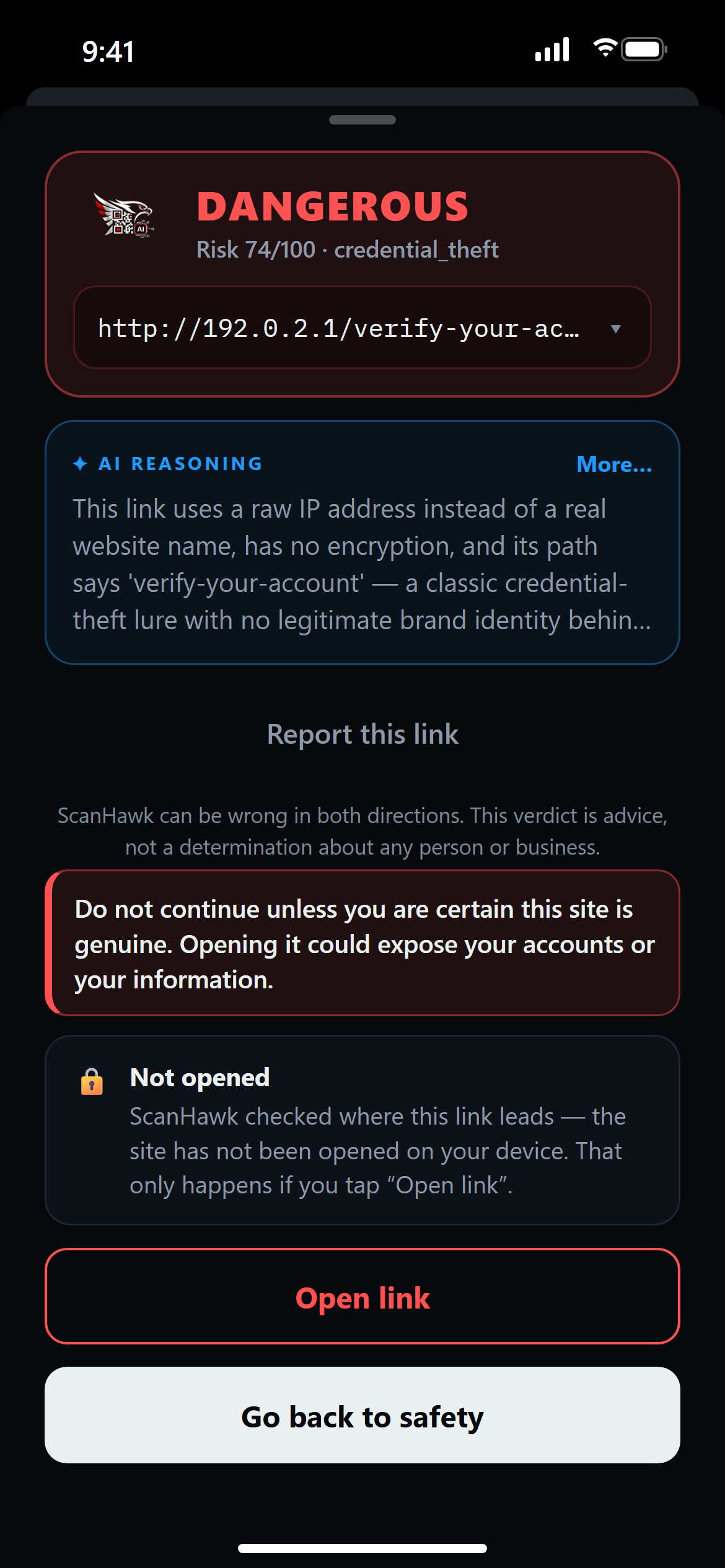
Tap Share on the link, choose ScanHawk. The verdict comes back in the same sheet — you never leave the conversation.
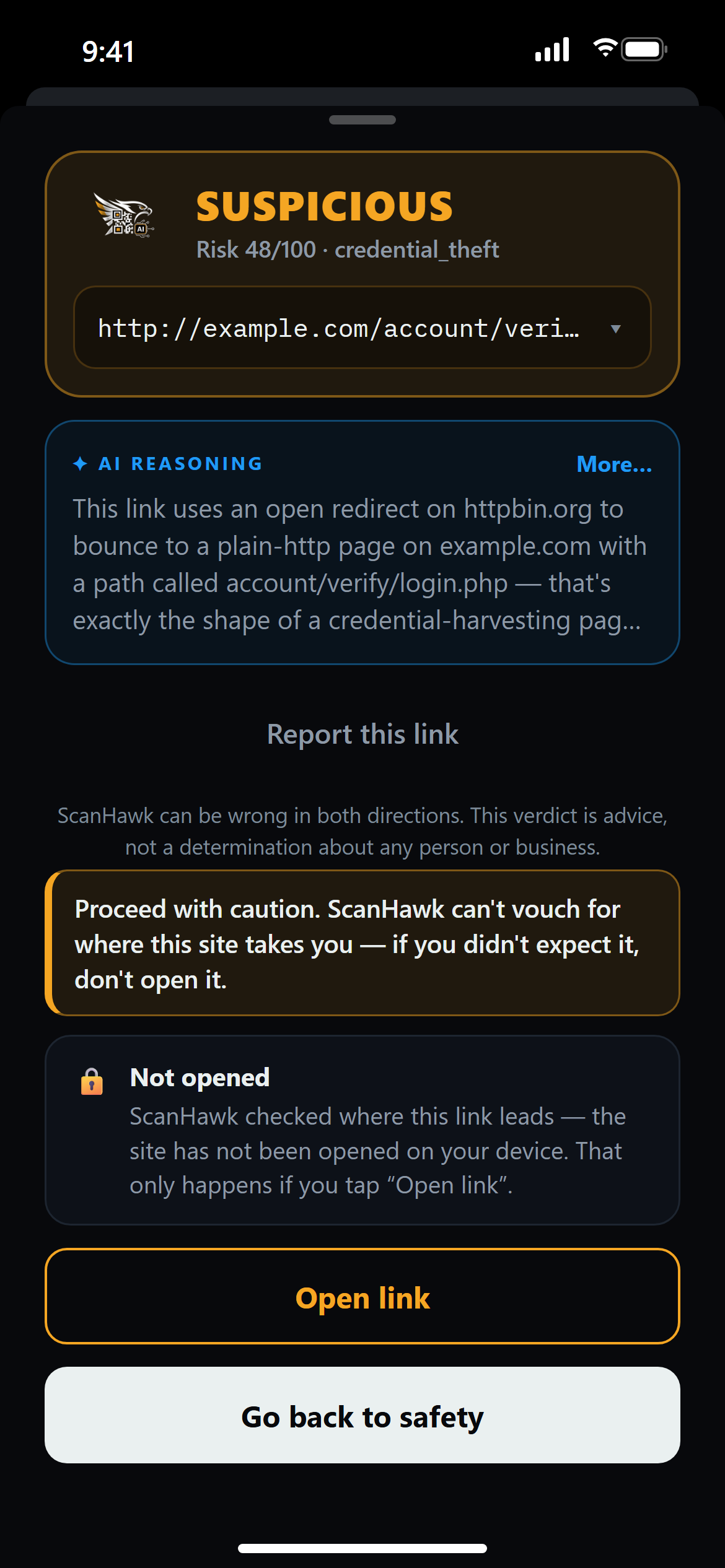
Share the link from Mail and ScanHawk traces where it really goes — through every redirect — before you decide.
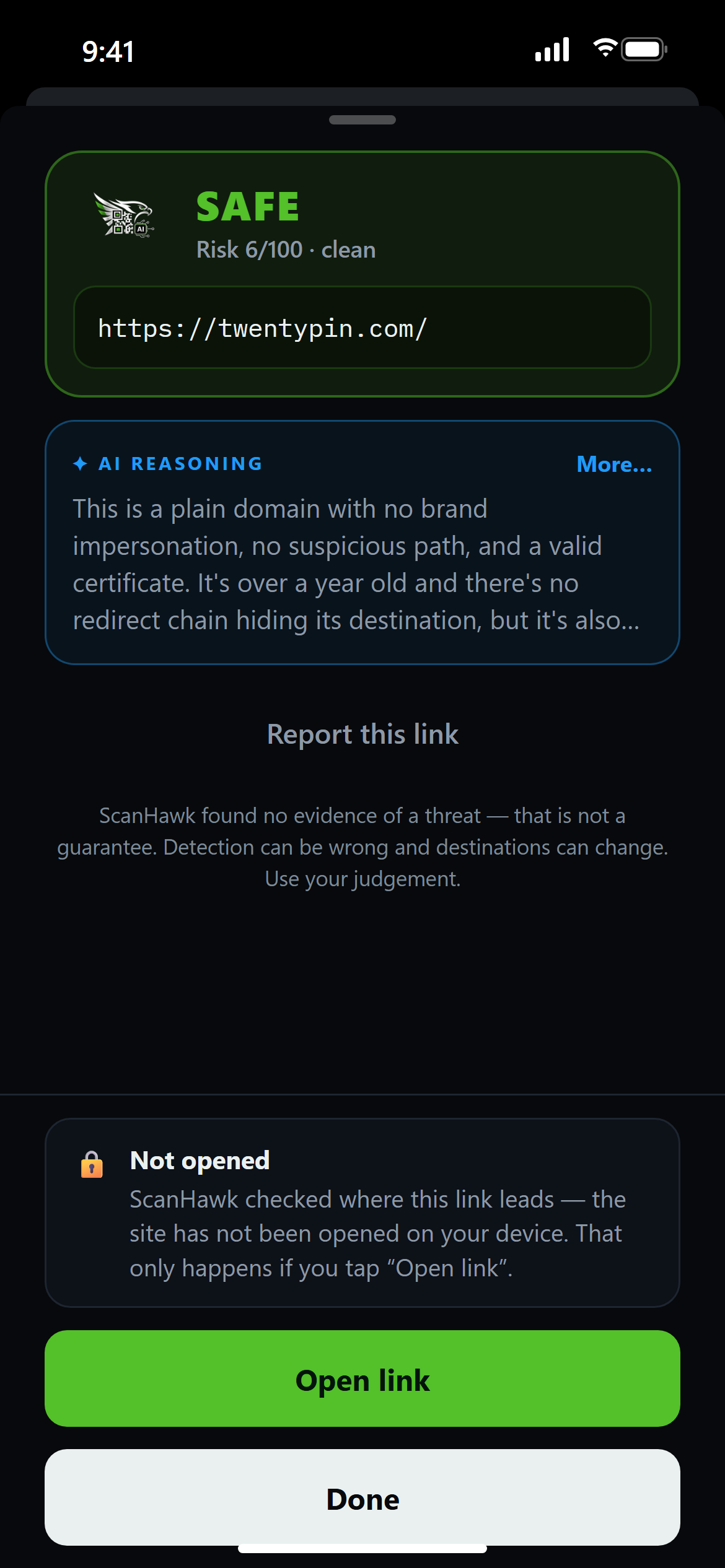
Already on the page? Tap Safari's Share button, choose ScanHawk, and check the site you're looking at.
A reasoning engine, not a lookup list.
A decoded link runs through a layered pipeline. Confirmed-malicious sources are treated as ground truth; everything else is weighed together — deterministic URL rules catch look-alike domains, punycode spoofs and hidden-destination tricks with no blacklist involved, and an AI layer reasons about intent and explains the verdict in plain English.
Extract
Read the payload, trace every redirect hop to the true final destination.
Signals
Domain age, TLS, URL heuristics, and live threat-intel feeds run in parallel.
AI verdict
Claude judges impersonation, credential traps, and context — the differentiator.
Score
Weighted fusion + override floors yield one calibrated 0–100 verdict.
Any scanner can plug into the engine.
Already built a QR scanner — an app, a kiosk, a point-of-sale reader, a mail gateway? Send the decoded payload to one endpoint and get a verdict back. No model to host, no blacklists to maintain. Scan from your device; let ScanHawk make the call.
# Send any decoded QR payload to the engine
curl -X POST https://api.scanhawk.io/v1/check \
  -H "Authorization: Bearer $SCANHAWK_KEY" \
  -H "Content-Type: application/json" \
  -d '{
    "url": "http://paypa1-secure-login.xyz/verify",
    "context": "email"
  }'

# ← response
{
  "verdict": "DANGEROUS",
  "riskScore": 96,
  "threatCategory": "phishing",
  "aiReasoning": "Impersonates PayPal on a
     look-alike domain to harvest logins."
}
/v1/checkone payload/v1/batchbulk · mail filters/v1/reportreport a bad link/v1/status/:idcached verdictPass a context — email, parking_meter, restaurant_menu, healthcare… — and the engine adjusts how strict it is for where the code was found.
SDKs · JavaScript · Python · Swift · Kotlin
Three verdicts. Zero ambiguity.
No red flags. A known destination with nothing suspicious in the link, the domain, or the page.
Something's off — a shortener, a young domain, an odd redirect. Proceed with caution.
A confirmed or strongly-indicated threat: phishing, malware, or credential theft. Don't open it.
We will send it — nothing else.
An email address or a phone number, tick what you are curious about, one button. No account, no newsletter you did not ask for.
Put a safety check
behind every scan.
Get an API key and start sending payloads to the engine, or put the app in your users' hands. One integration; every scan protected.